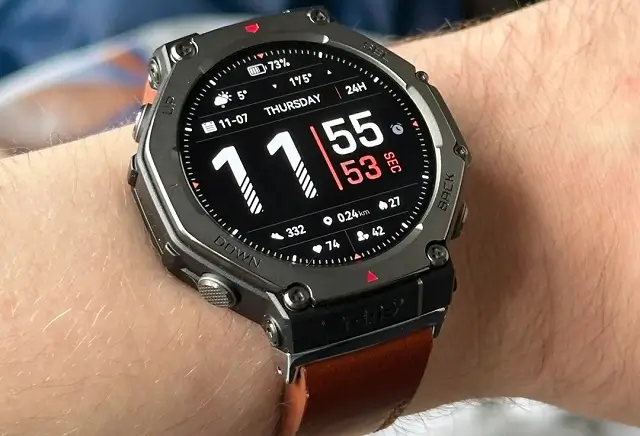
The rugged and reliable Amazfit T-Rex 3 smartwatch is getting a significant upgrade with the release of version 3.3.6.1. This latest update brings a host of new features and improvements, including a highly anticipated one: Tap-to-Wake.
A Closer Look at the New Features
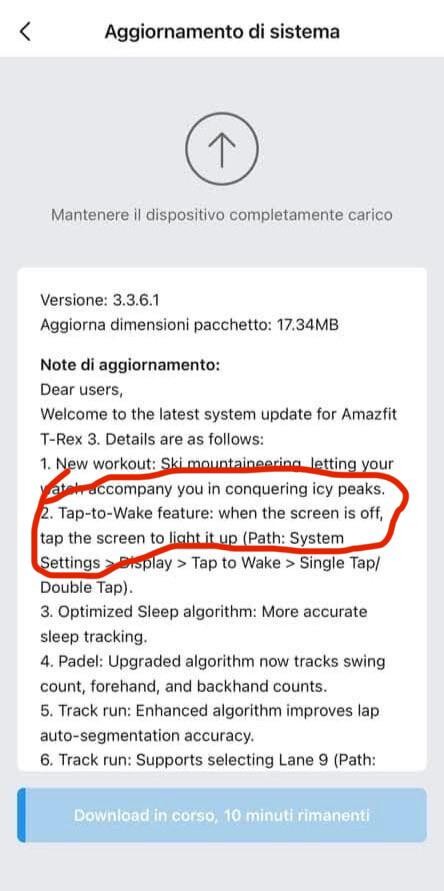
- Tap-to-Wake: One of the most requested features by T-Rex 3 users, Tap-to-Wake allows you to quickly glance at the watch’s display with a simple tap. This eliminates the need to press a button or rotate your wrist, making it more convenient and efficient.
- Ski Mountaineering Workout: For outdoor enthusiasts, the update introduces a new workout mode specifically designed for ski mountaineering. This mode provides detailed tracking for altitude, heart rate, and other essential metrics, helping you optimize your performance and safety.
- Enhanced Sleep Tracking: The sleep tracking algorithm has been refined to offer more accurate and insightful sleep data. The watch can now more precisely identify different sleep stages (light, deep, and REM) and calculate sleep quality metrics like sleep duration, wake-up times, and sleep efficiency.
- Optimized Activities: The Padel and Track Run activities have received optimizations to improve accuracy and performance. The watch can now more accurately track distance, pace, and heart rate during these activities, providing you with valuable insights to improve your training.
Rolling Out the Update
While Zepp Health hasn’t officially announced the release, reports suggest that the update is rolling out in phases. Users in Italy have already started receiving the update, which is approximately 17.34B in size. It’s expected that the update will gradually become available to T-Rex 3 users worldwide.
To check for the update on your T-Rex 3, you can follow these steps:
- Open the Zepp App: Ensure you have the latest version of the Zepp app installed on your smartphone.
- Connect Your Watch: Make sure your T-Rex 3 is connected to the Zepp app via Bluetooth.
- Check for Updates: In the Zepp app, navigate to the device settings for your T-Rex 3. Look for a “Firmware Update” option and check for any available updates.
If an update is available, follow the on-screen instructions to download and install it.
You May Also Like To Check Out: The New and Latest Smartwatches 2024