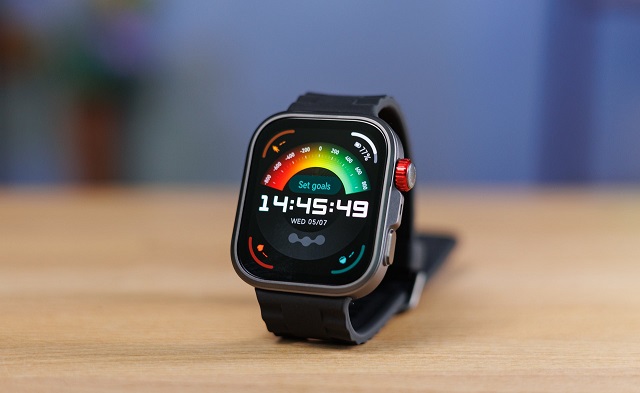
Huawei is rolling out a major software update for its popular wearable lineup. The new HarmonyOS 6.1 firmware (version 6.1.0.117) is officially hitting the Huawei Watch Fit 4 and Watch Fit 4 Pro.
The massive update brings a mix of fun customization options, handy everyday tools, and deeper fitness tracking metrics.
Fresh Watch Faces and Better Calling
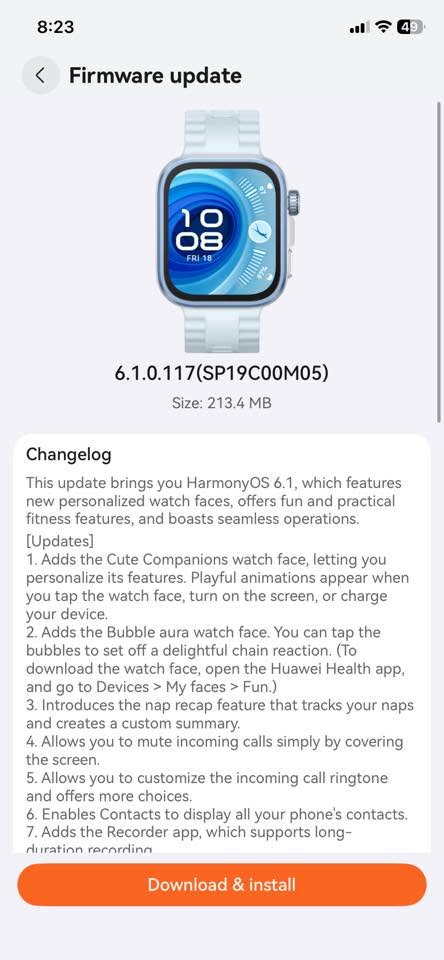
The update introduces two interactive watch faces to spice up your screen. The first is Cute Companions, which reacts with playful animations when you tap the screen, wake up the watch, or plug it into a charger. The second is Bubble Aura, which lets you tap on-screen bubbles to trigger a fun chain reaction. You can grab these by opening the Huawei Health app and navigating to Devices > My faces > Fun.
Calling features also got a major upgrade. You can now quickly mute an incoming call just by covering the watch screen with your hand. Plus, Huawei added support for custom ringtones and expanded the on-watch contact list to show all the contacts saved on your phone.
New Tools for Everyday Life
Huawei is packing several practical apps into this build. A new Recorder app now supports long-duration voice recordings right from your wrist. The alarm system is also much more flexible, letting you set custom snooze delays and personalized vibration patterns under Settings > Sound & vibration > Vibrations > Custom.
Furthermore, the watch will now send smart battery alerts to your phone. You will get a notification when your watch is running low on power, fully charged, or when you leave it off your wrist. Just make sure your Huawei Health app is updated to version 16.0.12.305 or later to use this.
Enhanced Features for Android Users
Android users get a big boost in compatibility with this release. The update unlocks three major features when paired with an Android device:
-
Remote Shutter: Trigger your phone’s camera from your wrist.
-
AI Voice: Access voice assistant features on the go.
-
Speech-to-Text: Dictate text messages easily using your voice.
Smarter Workout Tracking and Better Analytics
Fitness enthusiasts will notice a redesigned workout screen. By swiping right during an exercise, you can access a new shortcut menu to tweak workout settings or adjust the volume of voice reminders.
Huawei has also added professional-grade data metrics to help you train smarter. The watch can now separate aerobic and anaerobic data to calculate your total training load, pinpoint your optimal training zone, and add average pace data to your race predictions.
System Cleanups and Performance Fixes
Behind the scenes, Huawei tweaked the user interface to make animations feel smoother and more natural.
To declutter the main workout menu, several advanced features—including Warm up, Courses, Interval training, Lactate threshold, Race guidance, and Routes—have been moved. You can now find them by swiping up on the Workout preparation screen to open the More menu.
Finally, the watch has improved how it displays recovery times and training stress. It also features smarter disconnection alerts. If your watch loses its connection to the Huawei Health app, it will now show a prominent notice on your lock screen, half-screen, or full-screen so you can reconnect right away.
Note on Availability: This update is rolling out in stages. If you don’t see it on your Huawei Watch Fit 4 yet, don’t panic—it should reach all devices over the next few days. You can check for it manually via the Huawei Health app.
You May Also Like To Check Out: The New and Latest Smartwatches 2026