Amazfit has officially begun deploying a significant software refresh for the T-Rex 3 Pro, bringing the system to version 4.4.1.3. This latest firmware focuses heavily on refining the user interface and squashing bugs that previously hindered the experience for outdoor enthusiasts and gym-goers alike.
Rather than introducing brand-new features, this release acts as a “polish” update, ensuring the rugged smartwatch remains reliable during high-intensity activities.
Streamlining the Workout Experience
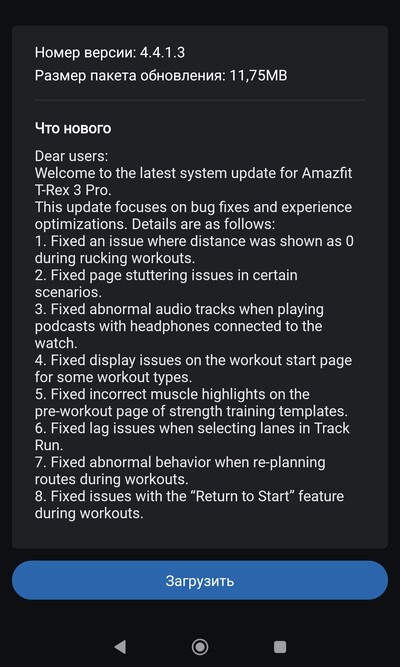
A major portion of this update is dedicated to fixing data inaccuracies and visual glitches within specific exercise modes. For instance, hikers and military-style fitness fans will be pleased to know that the “Rucking” workout bug—which previously caused distance tracking to freeze at zero—has been resolved.
Additionally, weightlifters using strength training templates will now see accurate muscle group highlights on their pre-workout screens. The update also addresses “Track Run” lane selection lag and solves several “Return to Start” navigation errors, making it a vital download for those who rely on the watch for off-grid exploration.
UI Optimization and Multimedia Fixes
Beyond fitness tracking, Amazfit has prioritized the overall “snappiness” of the operating system. Users who noticed occasional page stuttering or lag while navigating menus should find the interface significantly smoother now.
The update also tackles a specific hardware-syncing headache: abnormal audio distortion. Previously, some users reported glitchy tracks when listening to podcasts via Bluetooth headphones connected directly to the watch. Version 4.4.1.3 ensures a clean, stable audio stream for your long-distance runs.
Global Rollout Details
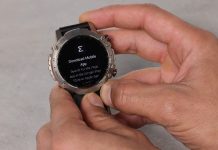
As is standard with Amazfit releases, this firmware is being distributed in phased stages. While a segment of the user base has already received the notification to upgrade, others may need to wait a few more days for the update to reach their region. To check for the update manually, users can sync their watch with the Zepp app and navigate to the system update menu.
You May Also Like To Check Out: The New and Latest Smartwatches 2025