Amazfit users have a new reason to check their wearable’s App Store this week. Zepp Health has officially expanded its “Mini App” catalog, introducing three new pieces of software designed to enhance health tracking and provide quick on-the-go entertainment.
These updates are compatible with a wide range of modern Zepp OS-powered wearables, including the rugged T-Rex 3. Here is a closer look at the latest additions to the Amazfit experience.
Real-Time Biometrics with “Heart Trace”
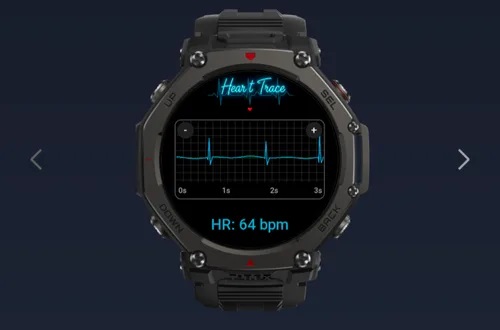
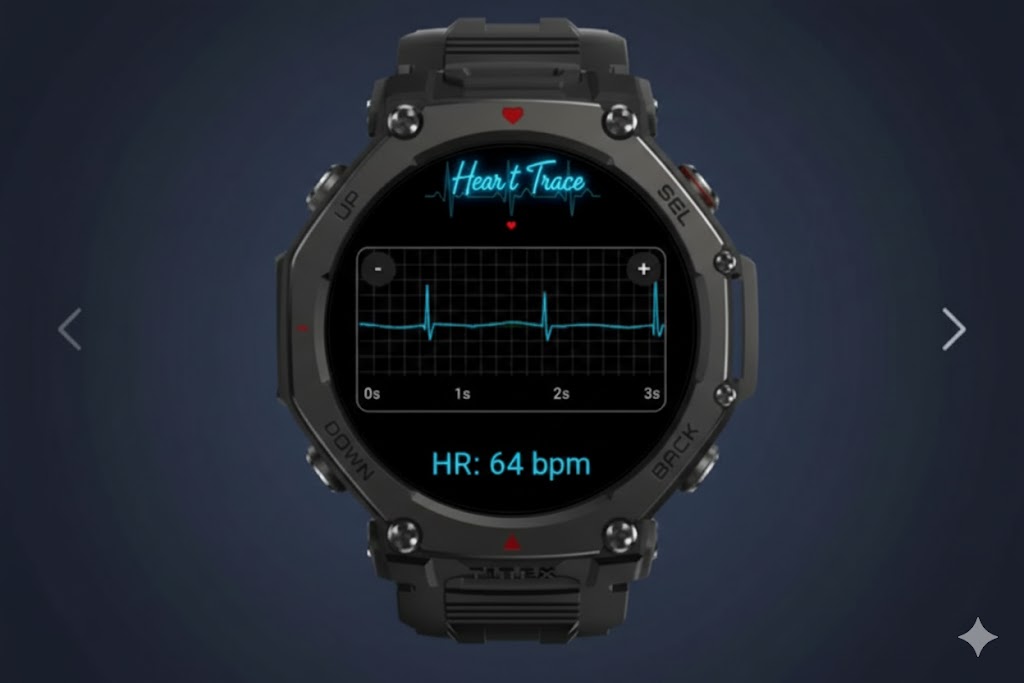
The standout addition in this release is Heart Trace, a utility that has quickly climbed the charts to become the second most-downloaded app in the Zepp OS ecosystem. Unlike standard background heart rate monitoring, Heart Trace is designed for users who want a high-visibility, live look at their pulse.
The app translates heart rate data into a “fluid line chart,” offering a dynamic pulse graph that is easy to read at a glance. Whether you are curious about your resting heart rate or monitoring recovery after a workout, the app provides a more visual, immediate representation of your cardiovascular data than the native watch interface.
Gaming on the Wrist: Pool and Puzzles
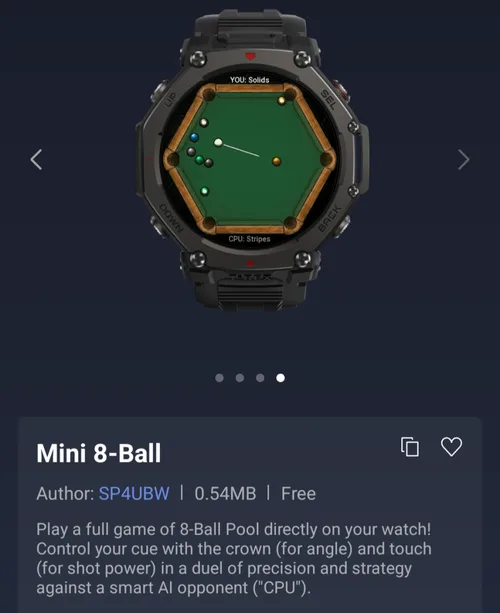
Beyond health metrics, Zepp Health is leaning into “micro-gaming” with two new titles intended to kill time without needing to pull out a smartphone:
-
Mini 8-Ball: This surprisingly detailed simulator allows users to play billiards against an AI opponent. The app utilizes the smartwatch’s physical hardware, allowing players to adjust the angle of their cue using the rotating crown, while touch inputs control the power of the shot.
-
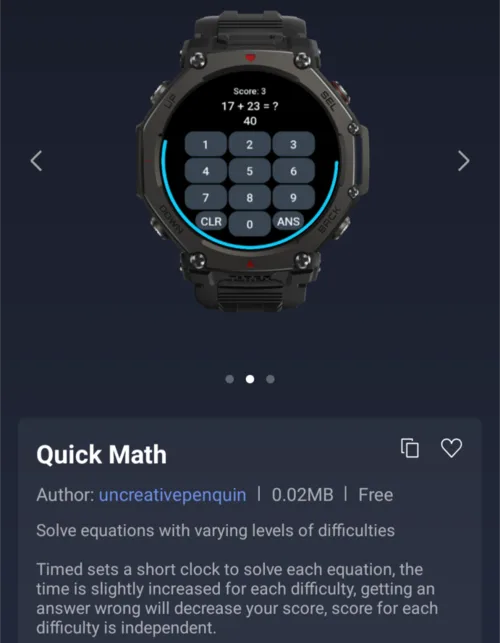
Quick Math: Positioned as a brain-training tool, this app challenges users to solve mathematical equations within a strict time limit. It’s a fast-paced mental exercise designed to keep the mind sharp during commutes or breaks.
Current Trends in the Zepp OS App Store
While Heart Trace is seeing a massive surge in popularity, it hasn’t quite unseated the reigning champion of the Mini App Store. Remotify remains the most popular download for Amazfit owners, as users continue to value its ability to act as a remote control for Spotify playback on their smartphones.
The rapid rise of Heart Trace suggests that Amazfit users are increasingly looking for specialized, visual ways to interact with their health data, rather than relying solely on the default system tools.
How to Install the New Apps
If you own a compatible Amazfit device, you can find these new additions by navigating through the Zepp App on your paired smartphone. Simply follow these steps:
-
Open the Profile tab.
-
Select your specific Amazfit device.
-
Tap on the App Store tile to browse and install the new Mini Apps.
These lightweight applications are designed to install quickly and run efficiently, ensuring they don’t bog down the watch’s battery life while adding significant new functionality to the wrist.
You May Also Like To Check Out: The New and Latest Smartwatches 2026