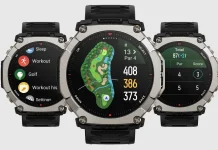
The Amazfit T-Rex Ultra 2 is getting its first major software boost. The rugged smartwatch is currently receiving firmware version 3.1.6.1, a substantial update packed with features ranging from specialized diving modes to advanced navigation tools.
While the rollout is happening in phases, here is a breakdown of what you can expect once the notification hits your Zepp app.
Enhanced Visibility and Tactical Tools
Amazfit has introduced a dual-color flashlight system, now supporting both white and green light. Users can quickly trigger the light by long-pressing the “UP” button from any screen. If you find yourself in total darkness, a simultaneous press of the “UP” and “BACK” buttons will engage a maximum brightness mode.
Additionally, a new Night Vision mode has been added to the Control Center. This allows for discreet viewing of the display in low-light environments without ruining your natural night vision or causing a disturbance.
Advanced Workout Intelligence and Voice Memos
For athletes who need to capture thoughts mid-session, the update introduces voice memos during workouts. By long-pressing the “DOWN” button, you can record notes that are later viewable within the Zepp App.
The update also brings Grade-Adjusted Pace (GAP) to trail and outdoor runners. This metric helps you understand your actual intensity when tackling steep inclines, normalizing your pace as if you were running on flat ground. Furthermore, the BioCharge feature debuts as a comprehensive energy monitor, synthesizing health data to give you a “fuel gauge” for your body throughout the day.
Deep Sea and Navigation Upgrades
The T-Rex Ultra 2 is leaning further into its “Ultra” branding with the addition of Recreational Scuba Diving. This feature allows the watch to act as a more capable companion for underwater exploration. To support various professional needs, the device now also supports a wider array of coordinate formats and systems found under the preferences menu.
On the mapping front, navigation is now smoother and more autonomous:
-
Offline Navigation: The Map app now supports route planning without a data connection.
-
Round-Trip Courses: You can now generate return-loop routes for running, cycling, or walking directly on the watch.
-
Route Back to Start: Enhanced “Back to Start” and “Saved Location” planning is now available mid-workout to ensure you never lose your way.
Refined Interface and Visuals
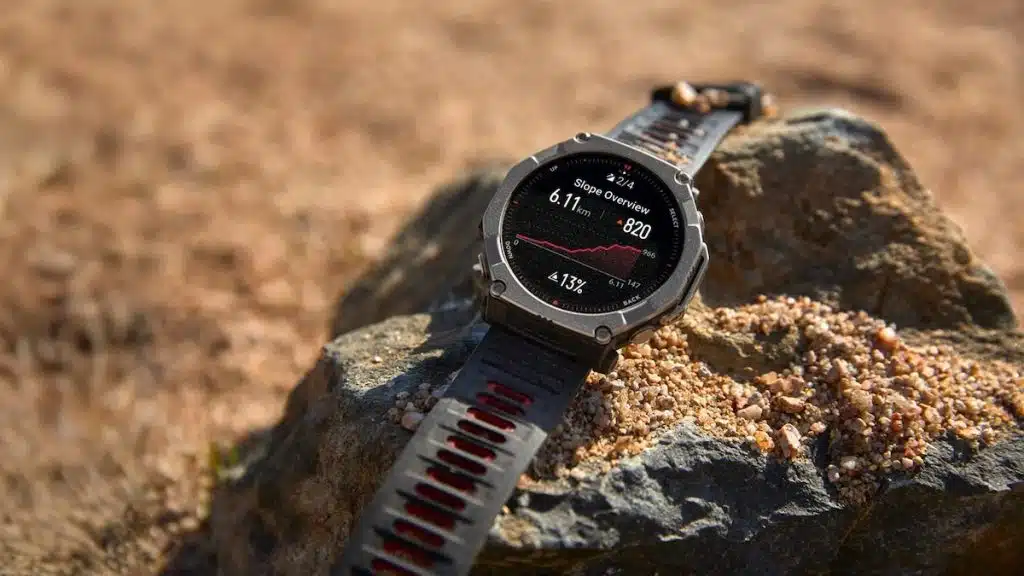
Climbers and hikers will notice that elevation charts have been optimized with color-coded slopes, making it easier to visualize upcoming terrain changes at a glance. Amazfit has also streamlined the interaction settings during active workouts, reducing friction when you need to adjust your data mid-stride.
Note: As this is a staged rollout, it may take a few days for the update to appear on your specific device. You can check for it manually by heading to the Zepp App > Profile > My Devices > Update.
Change Log Summary
- Supports white and green flashlights. Long-press the UP button on any page to turn on the flashlight, and switch between white/green light. While the flashlight is on, press UP+BACK simultaneously to enter maximum brightness mode.
- Added voice memo feature during workouts, with support for viewing recording details in workout records on the App (Path: During Workout > Long Press DOWN > Finish Recording). Note: This feature is only available in Zepp Flow supported countries/regions; fishing and underwater sports (e.g., freediving) are not supported.
- Added Night Vision mode to the Control Center, allowing you to view the watch without disturbance.
- Supports more coordinate formats and coordinate systems (Path: Settings > Preferences > Coordinates).
- Recreational Scuba Diving feature, helping you explore the wonderful world of deeper waters.
- BioCharge: A brand-new energy monitoring feature combining multi-dimensional health data to provide all-day status references.
- Optimized elevation charts to display different slope colors, making climbing changes in the route clearer.
- Optimized setting interactions during workouts.
- Added Grade-Adjusted Pace to help you understand pace intensity on slopes (Add path: Outdoor Running/Trail Running > Workout Settings > More > Data Page > Pace > Grade-Adjusted Pace/Avg Grade-Adjusted Pace).
- Map application now supports offline navigation planning, with improved fluidity during navigation.
- Supports offline route planning during outdoor workouts, such as Back to Start or Navigate to Saved Location (Path: During Workout > Navigation > Back to Start / My Location > Plan Route).
- Supports creating round-trip courses during Outdoor Running, Outdoor Cycling, and Walking (Path: During Workout > Navigation > Create Round-Trip Course > Use Route Navigation).
You May Also Like To Check Out: The New and Latest Smartwatches 2026