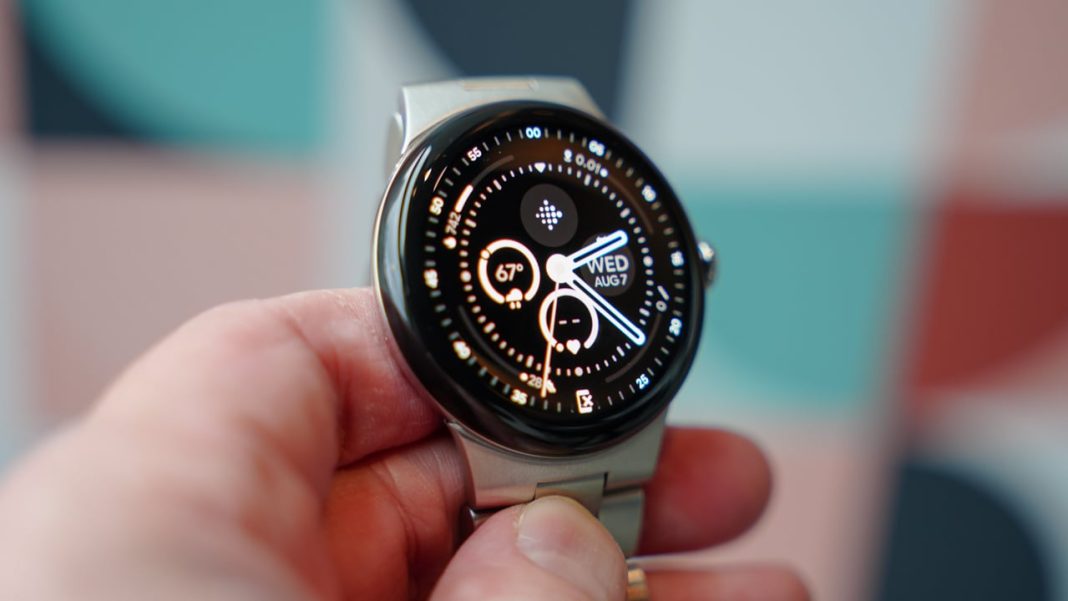

Google is officially sending out a brand-new software update for its smartwatch lineup. This fresh update comes as part of the September 2026 Pixel Feature Drop. If you own a Pixel Watch 2, Pixel Watch 3, or Pixel Watch 4, you can expect to see some great new features hitting your wrist very soon.
Smarter Gemini Assistant on Your Wrist
The biggest highlight of this update is how much smarter the Gemini assistant becomes. Previously, asking your watch for personal information could feel a bit limited. Now, Gemini gets a major personalization boost across all supported Pixel Watch models.
By looking at your past chats and connected Google apps like Gmail, Calendar, Search, YouTube, and Photos, Gemini can give you much better answers. You can now ask questions like, “What is on my calendar today?” or “Can you find the tracking number in my email?” and get exact answers right from your wrist. Google says this feature uses a mix of an offline user profile and real-time online search to keep things fast and helpful.
More Handy Gestures for Pixel Watch 3 and 4
If you use a Pixel Watch 3 or a newer model, navigating your watch with one hand is getting much easier. Google is bringing double-pinch and wrist-twist gestures to more apps and screens.
With a quick double-pinch gesture, you can now:
-
Open the “At a Glance” view from your main watch face.
-
Open the notification center.
-
Scroll through long Gemini responses.
-
Flip through cards in your Google Wallet app.
-
Browse workout metrics while exercising.
-
Switch views inside Google Maps.
-
Control the Recorder app.
Additionally, a simple wrist turn now works as a universal “Back” button across the system, making it much quicker to navigate menus without using your other hand.
Better Voice Control for Pixel Watch 4
Owners of the Pixel Watch 4 are getting a special bonus upgrade, too. Google has updated the model behind the “Raise to Talk” feature. This means when you lift your wrist to speak to your watch, it will recognize your voice faster and with much higher accuracy than before.
How to Get the Update
Google is rolling out these updates over the air, so it might take a few days or weeks to reach every device. The update arrives with build number CP3A.260905.002 for the Pixel Watch 3 and 4, and CP3A.260905.002.E1 for the Pixel Watch 2.
If you want to check if the update is ready for you right now, follow these simple steps:
-
Open the Settings app on your Pixel Watch.
-
Scroll down and tap on System.
-
Tap on System updates to see if your watch is ready to download the latest software.
You May Also Like To Check Out: The New and Latest Smartwatches 2026