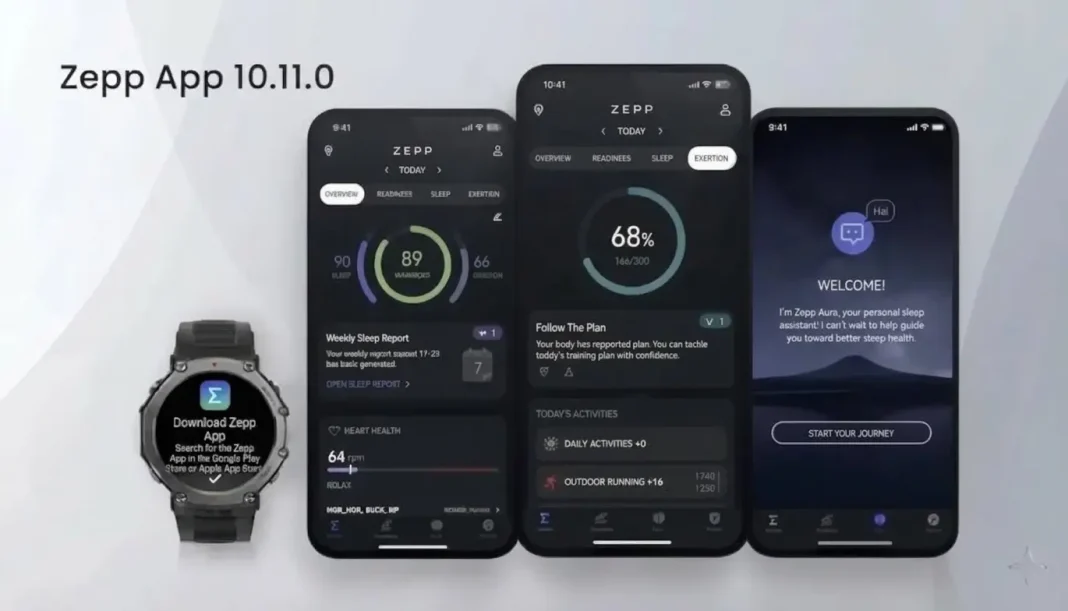

Amazfit is rolling out Zepp App 10.11.0, a fresh update that brings scheduled workout days to Zepp Coach, race notifications to the race hub, new background activity controls, a heatmap privacy toggle, and major upgrades to LifeLoad tracking.
Instead of a major visual overhaul, this release focuses on practical improvements that make daily training and habit tracking faster and easier to manage. Here is everything new in Zepp App 10.11.0.
Zepp App 10.11.0: What Is New in This Update?
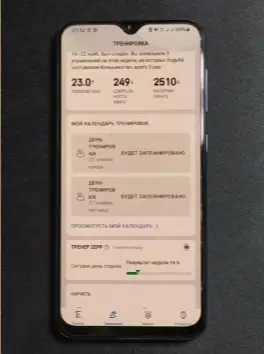
Most of the changes in version 10.11.0 help you keep track of your workout schedule, ensure the app runs smoothly in the background, and log personal events inside LifeLoad.
1. Planned Days in Zepp Coach
Under the Workout tab in the Zepp Coach section, the app now highlights the specific days when your coach has scheduled a task for you. Instead of digging through your plan to check when your next session falls, you can see scheduled days at a glance.
2. Race Hub Alerts and Auto-Detection
Inside the race center, new toggles let you decide whether the app automatically searches for and finds races for you. You can also turn on notifications for official races and related event updates so you do not miss upcoming sign-ups or race news.
3. New Background Activity Controls
A new background activity section in the app settings gives you clearer control over how Zepp behaves when you are not actively using it. Two new options appear here:
-
Display over other windows: A permission toggle that lets the app appear over other screen elements when needed.
-
Battery saver mode status: A clear indicator showing whether power saving is currently turned on, which helps explain if background syncing or alerts are limited.
4. Heatmap Improvement Toggle in Privacy Settings
Under Security and Data Privacy in the settings menu, there is a new switch to join or opt into a heatmap improvement program. Users who pay close attention to data sharing can review and control this toggle directly from their privacy settings.
Big Upgrades to LifeLoad Tracking
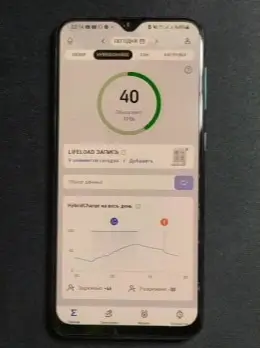
The largest set of updates in Zepp 10.11.0 centers on LifeLoad, the feature that tracks daily physical and mental strain alongside recovery. Here is what has changed:
-
Elapsed Time on Logged Events: When you tap an entry—such as an energy log—the app now shows exactly how long ago it happened. For example, selecting an entry from 7:00 PM will display how many hours and minutes have passed since that log.
-
Create Your Own Custom Tags: You can now build custom LifeLoad events using an Add My Tags option. After typing a tag name, you choose how you want to record it:
-
A Yes / No style toggle paired with a timeline slider so you can pick the exact time it happened.
-
A Low, Medium, High scale to rate the intensity or impact of the event.
-
-
Manage and Pin Favorite Tags: A Manage button opens your custom tags so you can edit them, delete them, or pin your most-used items to the top of your list for quick logging.
-
Pinned Items and Full Tag List: Tapping to add an event now puts your pinned everyday items right at the top. Scrolling down to the bottom opens the complete list of all available LifeLoad tags so you can log anything or pin new tags in seconds.
-
Replay the Tour in LifeLoad Settings: Inside LifeLoad settings, a Replay Tour option lets you reopen the welcome guide that appears after updating. It walks through how custom tags and pinned items work if you skipped it or need a quick refresher.
Rollout and Availability
Zepp App 10.11.0 is rolling out gradually across devices. As with most staged app updates, availability can vary slightly by region, platform, and account wave, so check your app store if version 10.11.0 has not appeared on your phone yet.
You May Also Like To Check Out: The New and Latest Smartwatches 2026