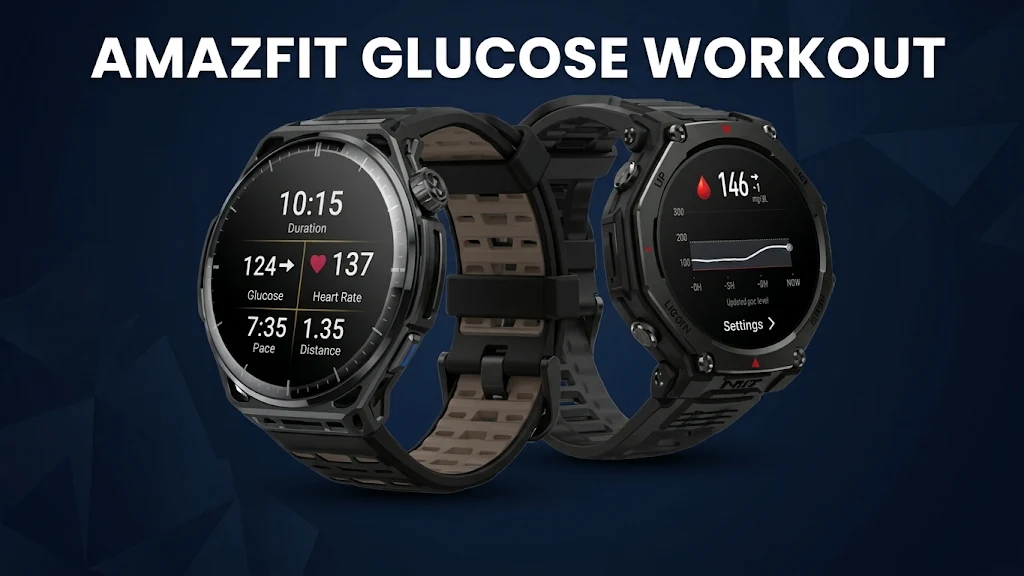

Checking your blood sugar mid-run usually means digging out your phone while you are out of breath. A new project called GlucoseX aims to put continuous glucose monitoring (CGM) numbers straight onto supported Amazfit smartwatches, including in workout views.
How GlucoseX Brings Blood Sugar to Your Wrist
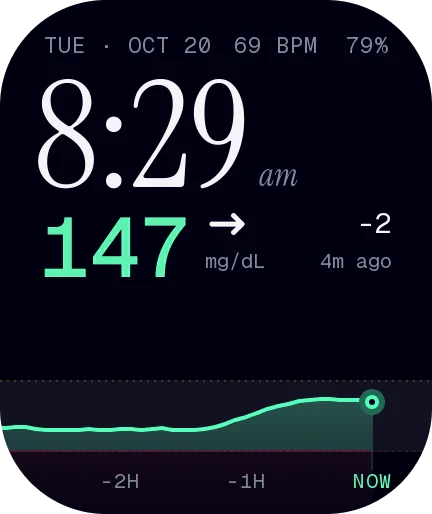
GlucoseX is a community-built app and watch face ecosystem designed for Amazfit watches running Zepp OS. Rather than adding new hardware to the watch, it pulls data from a CGM sensor you already wear on your body and displays it on your wrist.
To make that happen, the app relies on sharing services such as Dexcom Share/Follow or LibreLinkUp, with your phone nearby to pass readings along. Users on Reddit noted that keeping the official CGM app and the Zepp app active in the background helps keep updates flowing smoothly so you do not have to hold or check your phone mid-run.
Built for Workouts and Everyday Glanceability
The appeal of GlucoseX comes down to convenience when you are moving. Along with showing your current glucose number and trend direction, it includes companion watch faces for everyday wear and a workout extension for exercise sessions.
On Reddit, runners with Type 1 diabetes pointed out how useful a quick wrist check can be during hard efforts. Pushing into high heart rate zones can trigger a spike in blood sugar as the liver and muscles release stored glycogen, and seeing that shift right on your watch is far easier than stopping to unlock a phone.
Supported Watches and Watch Faces
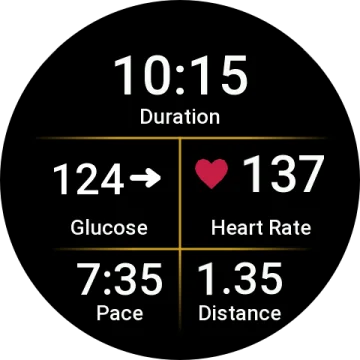
According to the developer’s post on r/amazfit, GlucoseX supports several Amazfit models, including the T-Rex 3, T-Rex 3 Pro (48mm), T-Rex Ultra 2, Balance 2, Balance 2 XT, Cheetah 2 Ultra, Active Max, and Bip 6.
Companion watch faces vary by screen shape and model, with options like GlucoseX Clarity Round for round watches, GlucoseX Clarity Square for square watches (such as the Bip 6), and Clarity, Tide, and Flow tailored for the Bip Max.
Where to Get GlucoseX and How to Install It
Getting the app up and running is quite straightforward. You can download everything directly through the official phone companion app for your watch.
To install it:
-
Open the Zepp App on your paired smartphone.
-
Go to Device -> App Store -> Health & Fitness.
-
Search for “GlucoseX” to locate and install the app and its workout extension.
-
From there, you will just need to use the tools inside the app to link it to your CGM sharing service (like LibreLinkUp or Dexcom) to start receiving live readings.
You May Also Like To Check Out: The New and Latest Smartwatches 2026