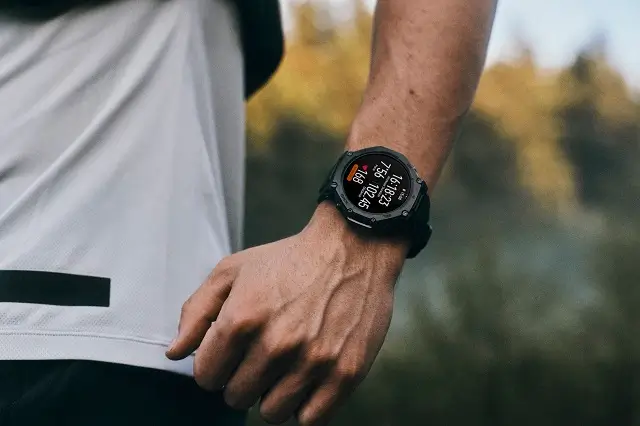
Amazfit has started rolling out a major software update for its rugged smartwatch lineup. Firmware version 6.3.13.5 is officially hitting the Amazfit T-Rex 3, T-Rex 3 Pro, and T-Rex Ultra 2, bringing a mix of practical workout tools, improved map details, and smarter device management.
Better Workout Tracking and Sensor Integration
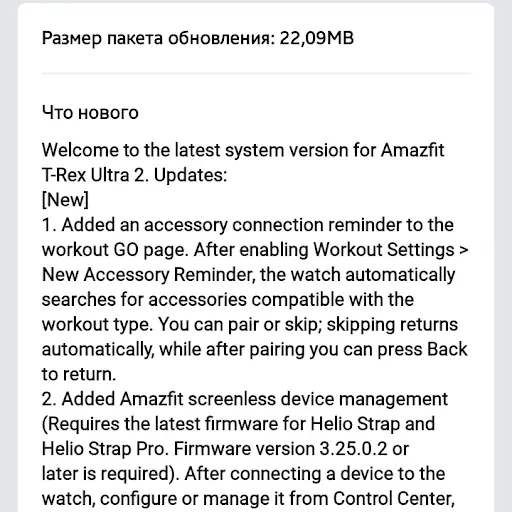
The new update makes starting a workout a smoother experience. A new accessory reminder setting scans for nearby sensors right on the exercise start screen. The watch automatically searches for accessories compatible with your chosen activity, allowing you to quickly pair a heart rate monitor or sensor with a single tap or skip it to jump straight into your routine.
This release also brings dedicated management tools for screenless wearables like the Helio Strap and Helio Strap Pro. Once connected, you can check battery levels, trigger a “Find Device” feature, or toggle heart rate broadcasting directly from your watch control center or shortcut cards. Outdoor navigators also get a boost with wrong-way alerts that notify you when you drift off-course and let you flip your route direction in one tap.
Clearer Maps and Visual Upgrades
Outdoor enthusiasts will notice several upgrades designed to make on-screen maps much easier to read while on the move. Contours and points of interest are clearer, while trails now feature a distinct color to keep them clearly separated from city streets. Major roads also show sidewalk data when zoomed in closely, and users can now download larger geographic map regions for offline use.
The navigation system now displays a pop-up alert whenever it successfully recalculates a route after a missed turn. Beyond mapping, Amazfit optimized the VO2 Max algorithm for more consistent data, added custom buzzer options for freediving depth alerts, and added a dual distance display in Track Run mode that shows both imperial and metric units on the second data screen.
How and When to Get the Update
As usual, Amazfit is releasing this software in stages to ensure stability before a full global launch. A small group of users has already received version 6.3.13.5, while others will get it over the coming days.
If you want to check for the release manually, open the Zepp app on your phone, go to your connected watch under the profile tab, and select System Update.
Change Log Summary:
[New]
- Added an accessory connection reminder to the workout GO page. After enabling Workout Settings > New Accessory Reminder, the watch automatically searches for accessories compatible with the workout type. You can pair or skip; skipping returns automatically, while after pairing you can press Back to return.
- Added Amazfit screenless device management (Requires the latest firmware version of Helio Strap & Helio Strap Pro). After connecting a device to the watch, configure or manage it from Control Center, shortcut cards, or the device app. Features include low-battery alerts, Find Device, and a heart rate broadcast switch.
- Added wrong-way detection and alerts to route navigation, with one-tap switching of the navigation direction. After traveling the wrong way.
[Optimizations]
- Improved the readability of contour lines on the map.
- Trails on the map now use a new color, making them easier to distinguish from urban roads.
- Added sidewalk data along some major roads on the map (shown at scales from 200 m to 8 m).
- Improved the readability of POI information on the map.
- Map downloads now support selecting a larger geographic area.
- Optimized the display of road names and place names when zooming the map.
- A pop-up notification now appears when the route is successfully recalculated after going off course during navigation to a location point.
- Optimized the VO2 Max algorithm to improve data accuracy and stability.
- When the system uses imperial units, page 2 of Track Run displays both imperial and metric distances.
- Optimized Freediving settings. Different buzzer types can now be selected for depth and time alerts
during a workout.
You May Also Like To Check Out: The New and Latest Smartwatches 2026