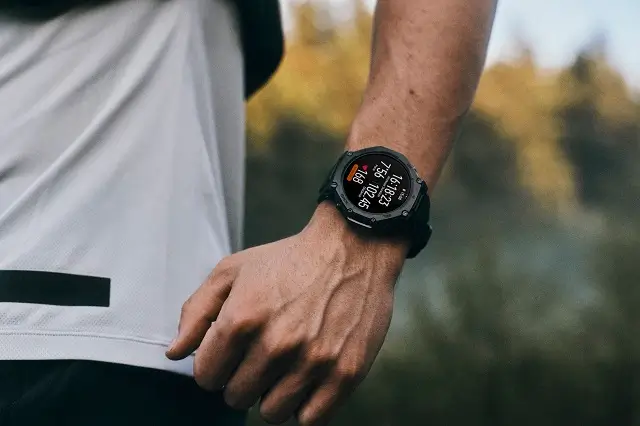
Amazfit is releasing a significant new firmware update, version 2.4.2.1, for its robust and popular Amazfit T-Rex 3 Pro smartwatch. This update introduces a suite of powerful features designed to enhance the device’s utility for serious athletes and fitness enthusiasts, alongside crucial stability and usability improvements.
Seamless Integration with Top Training Platforms
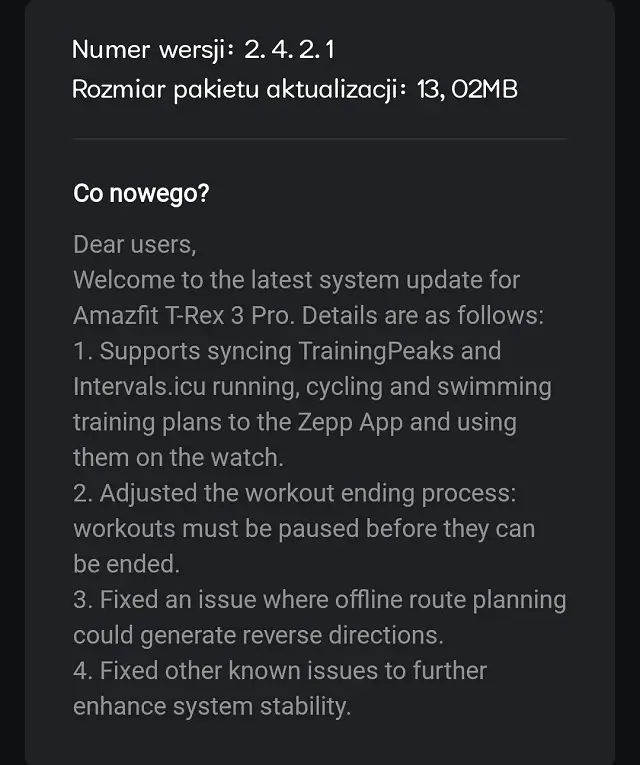
The headline feature of this new firmware is its deepened integration with leading third-party training platforms. Users can now sync their running, cycling, and swimming training plans directly from TrainingPeaks and Intervals.icu to the Zepp App. Once synced, these detailed, structured training sessions become immediately available for use on the T-Rex 3 Pro watch. This change makes the T-Rex 3 Pro a much more powerful tool for structured training, ensuring users can follow their custom, professional-grade schedules directly from their wrist.
Refined Workout Management and Usability
The process for ending workouts has been adjusted to prevent accidental terminations and ensure data integrity. With this update, all ongoing workouts must be paused before they can be officially ended. This small but important change ensures that users consciously stop their activity, reducing the risk of losing critical performance data midway through a session.
Critical Fixes and System Stability Enhancements
Beyond the new features, the firmware addresses several notable technical issues. The update specifically fixes an issue where offline route planning could occasionally generate reverse directions, ensuring that navigational features are reliable when exploring new areas without a connected phone. Furthermore, the update includes fixes for other known issues, which collectively work to further enhance the overall stability and reliability of the T-Rex 3 Pro’s operating system.
Phased Rollout Schedule
The rollout of the 2.4.2.1 firmware is being conducted in phases. While some users have already started receiving the update and can access the new features immediately, others may need to wait a few days for the notification to appear on their Zepp App. Users should monitor their app to initiate the download and update process as soon as it becomes available for their device.
You May Also Like To Check: The New and Latest Smartwatches 2025